Hub Reporting
Track and analyze your ServiceNow messaging usage with detailed reports in the Hub.
Filtering by ServiceNow
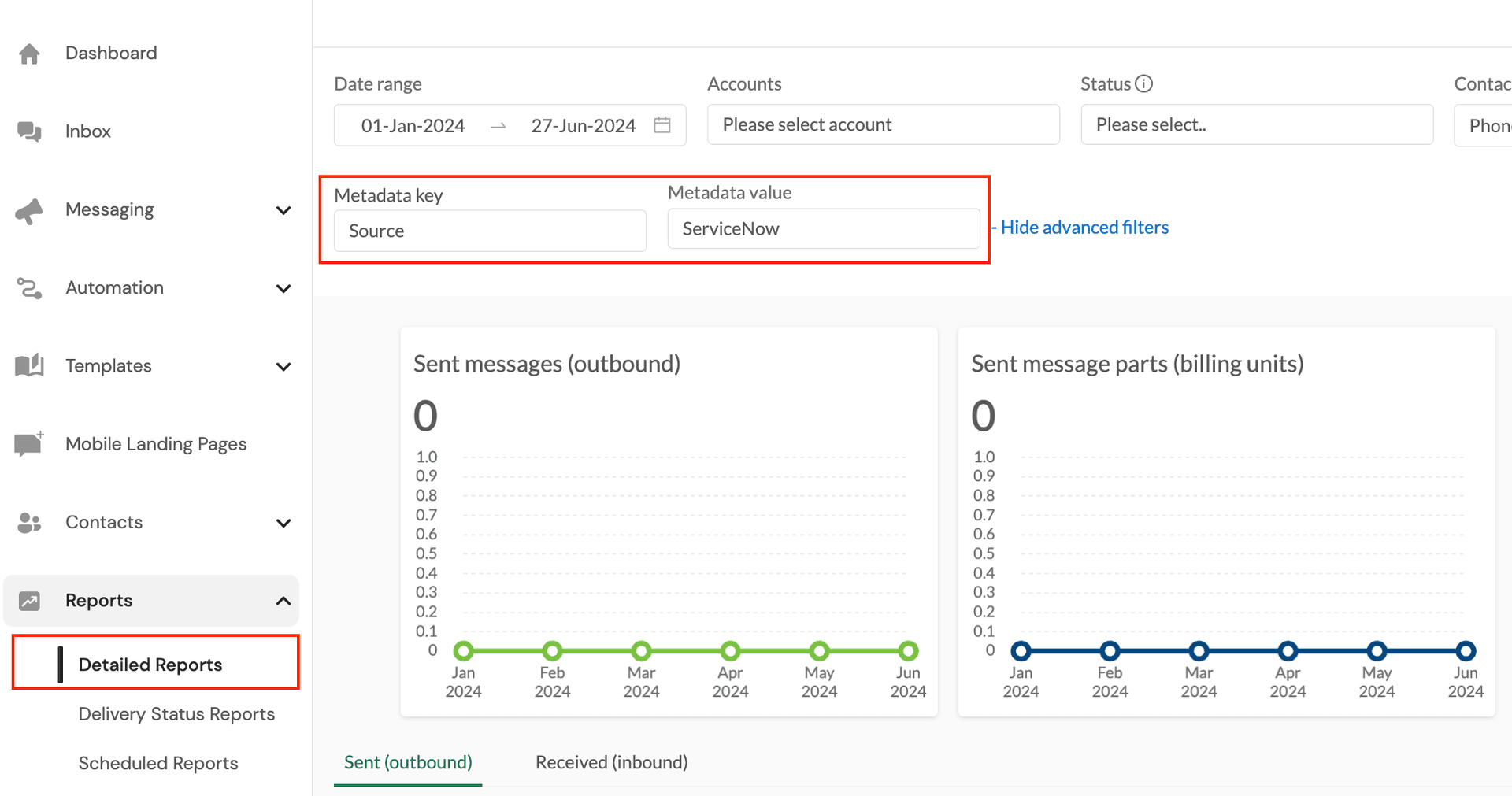
Our integration provides metadata tags on your messages to make reporting on your ServiceNow messaging usage simple. In the Hub, navigate to Detailed Reports and open the Advanced Filters to reveal the Metadata filters. Here you can filter by the key-value pair of Source and ServiceNow as seen below, which will extract just your ServiceNow created messages isolated from any other sending methods you may use like the Hub or email to SMS.
What You Can Track
- Message volumes - Track daily, weekly, or monthly usage
- Delivery receipts - Monitor successful deliveries and failed messages
- Cost analysis - Understand messaging costs by breaking down usage
- Provider performance - Compare delivery rates across different providers
- ServiceNow isolation - Separate ServiceNow traffic from other applications
Additional Reporting Options
Beyond the Hub's built-in reports, you can also:
- Use the API Shift reporting dashboard for PostHog-powered analytics
- Export data as CSV for analysis in BI tools like Tableau or Power BI
- Access metrics via API for custom dashboards and automation
- Build governance dashboards by attributing usage to specific ServiceNow workflows
Related Documentation
- View PostHog reports in the API Shift dashboard
- Learn about Flow Designer actions to send SMS
- Explore scripting options for advanced use cases